Connection Guard
v.1.6.0.0 Kinetick NinjaTrader (Tradovate) Rithmic
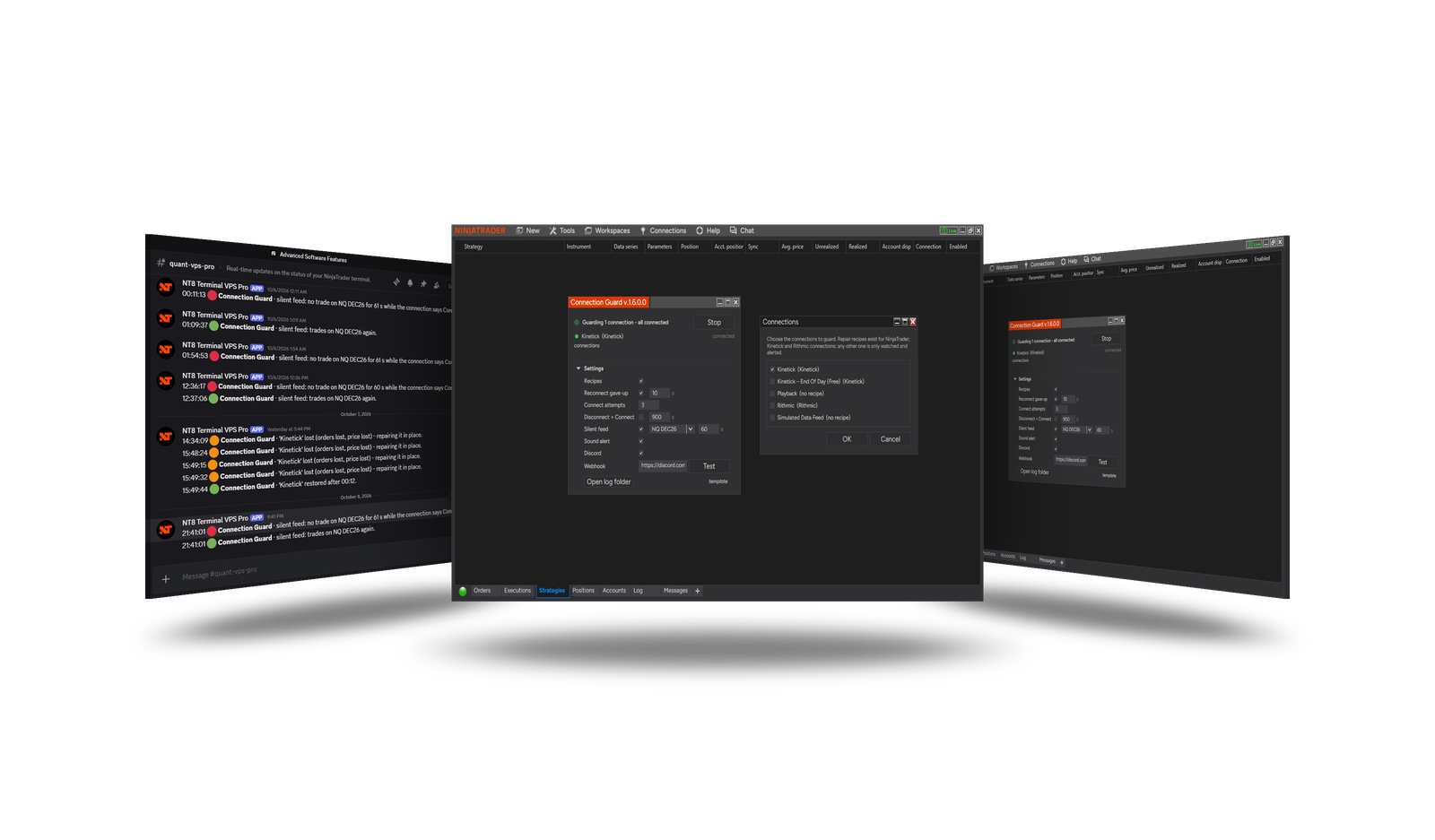
Overview
A running strategy is only as good as its connection. When a data or broker connection drops and NinjaTrader does not bring it back, a strategy set to Keep running sits without data and without control of its orders. Connection Guard watches the connections you choose and repairs them in place - the strategies on them keep running - and tells you about every event: on screen, with a sound, and optionally in your Discord channel.
How to use it
- Open Control Center → Tools → Connection Guard.
- Click connections and tick the connections to guard.
- Press Start. The dot next to the status pulses once per check - a frozen dot means the guard has stopped.
- Leave the window open. Stop or closing the window switches the guard off; nothing runs in the background.
What it does
| Situation | What the guard does |
|---|---|
| A connection is lost | Repairs it in place with the fix known for that connection type (Kinetick, NinjaTrader / Tradovate, Rithmic). Running strategies are not stopped. |
| A connection gave up and left the list while strategies still run on it | Connects it again after Reconnect gave-up seconds, up to Connect attempts times. |
| A connection has been lost too long (optional) | Disconnect + Connect as a last resort. The strategies on that connection stop - off by default. |
| Connected, but no trades arrive (optional) | Alerts on a silent feed: no trade on the chosen instrument for the set seconds inside its session. |
| The computer sleeps and wakes | Logged; a Kinetick connection waiting for the network after a wake is brought back. |
Connections without a known fix are watched and alerted, but not repaired.
What the colours mean
The colour of an alert - the dot in the window, the on-screen alert, the circle in Discord - says whether you need to act, not how bad the event is:
| Colour | Meaning | Examples |
|---|---|---|
| 🟢 Green | Working, or back to normal. | restored after 12 s, connected again, trades again |
| 🟠 Orange | A problem the guard is fixing on its own - wait for green. | a lost connection being reconnected, Disconnect + Connect started |
| 🔴 Red | A problem the guard cannot or does not fix - check it yourself. | the repair failed after all attempts, a silent feed |
Why a silent feed is red
A lost connection is orange: NinjaTrader sees it and the guard is already reconnecting. A silent feed is worse in one way - the connection still says Connected, so neither NinjaTrader nor the strategies notice that no data comes, and the guard only reports it. Check the data connection, and reconnect it by hand if needed.
Settings
The settings are in the window, under Settings.
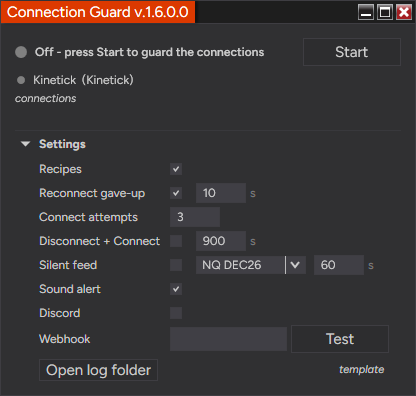
| Setting | Default | What it does |
|---|---|---|
| Recipes | On | Repair a lost connection in place. Running strategies are not touched. |
| Reconnect gave-up | On, 10 s | Connect again a connection that gave up and left the list while strategies run on it, after this many seconds. |
| Connect attempts | 3 | Connect attempts per outage. |
| Disconnect + Connect | Off, 900 s | Last resort for a connection lost this long. The strategies on it stop. |
| Silent feed | Off, 60 s | Alert when the connection says Connected but no trade comes on the chosen instrument for this many seconds, inside its session. |
| Sound alert | On | A NinjaTrader alert with sound on every event. |
| Discord / Webhook | Off | Send every event to your Discord channel; paste the channel's webhook URL and press Test. |
The settings are saved automatically. template → save / load keeps named sets; reset shows the defaults without applying them until you change a field or save a template. Open log folder opens the guard's daily logs.
Requirements
- Run it on the computer (or VPS) where the strategies run, and keep the window open.
Version history
v.1.6.0.0 - October 2026
- Added: settings kept between restarts; template reset; the window grows with its messages.
- Added: sleep / wake and network events in the log; Kinetick brought back after a computer wake.