Trading Clock
v.2.1.1.0 AddOn
Overview
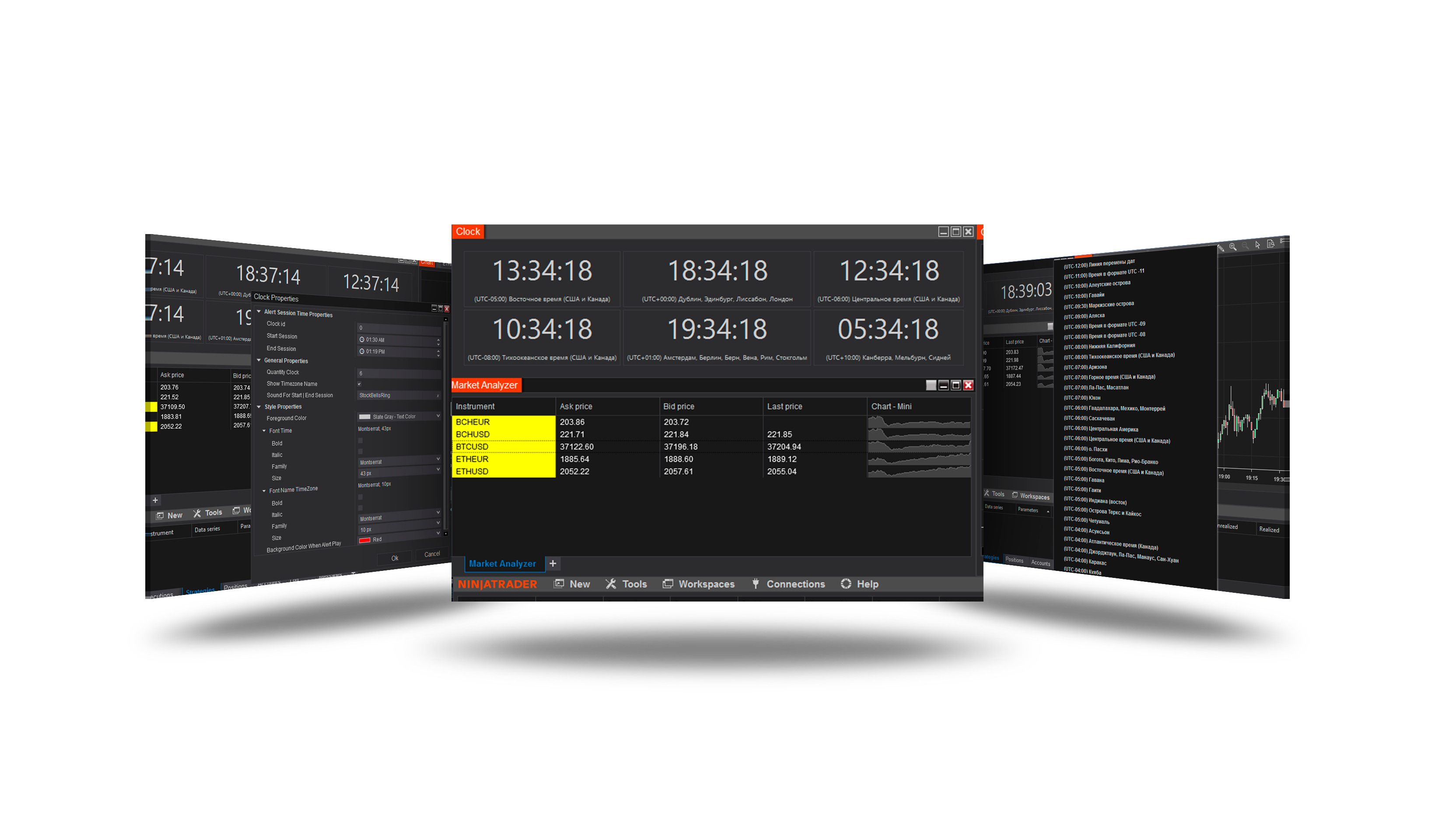
A window of clocks for the markets you trade. Each clock shows the time in its own time zone and, if you give it sessions, whether a session is open, how long until it opens or closes - and alerts you with a sound and a flash when it does. Size, layout, fonts and colours are yours; the window can float on top of everything, see-through.
Open it
Control Center → New → Trading clock. The window opens with three clocks; your clocks, sessions and settings are restored the next time.
The clocks
Each block shows the time, the time zone's name and - when switched on - the date, the UTC offset and the session status line.
Right-click a clock:
| Menu | What it does |
|---|---|
| Time zone | Any of Windows' time zones. |
| Quick zones | New York, Chicago, London, Frankfurt, Tokyo, Hong Kong, Sydney, UTC. |
| Rename... | Your own name for the clock. |
| Copy time | Copies the clock's time. |
| Sessions... | The sessions editor - see below. |
| Add clock / Remove clock | Also the + and − keys. |
| Lock layout | Stops drag-and-drop rearranging. |
| Properties | The window's settings. |
Drag a clock to another place to rearrange them. Right-click the empty window for Fit window to clocks and Close.
Sessions
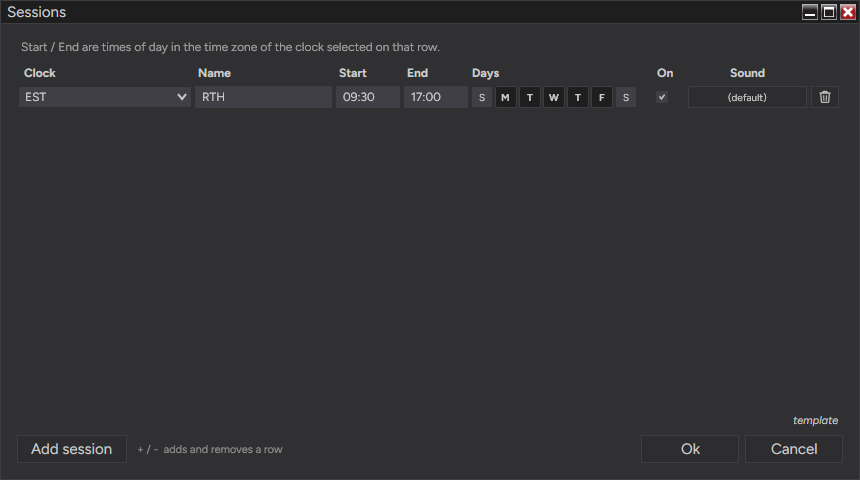
Sessions... opens the sessions editor. Each row is one session:
| Column | Meaning |
|---|---|
| Clock | The clock the session belongs to - its time zone is the session's time zone. |
| Name | The session's name, e.g. NYSE, London. |
| Start / End | Times of day in that clock's time zone. An End earlier than Start runs past midnight. |
| Days | The days the session is held. |
| On | Switches the session on or off. |
| Sound | The .wav played when it opens or closes; (default) uses the default alert sound. |
Add session or the + key adds a row, − removes it.
On the clock, the status line shows:
| Status | When |
|---|---|
| Pre-market (yellow) | The last Lead minutes before a session opens. |
| Open | During a session. |
| Closing soon (orange) | The last Lead minutes before it closes. |
| Closed | Outside its sessions. |
With Show Countdown the line counts down - "closes in 1:24:05" or "opens in 0:12:30". When a session opens or closes, its sound plays and the window flashes in the Alert Flash Color.
Properties
Right-click → Properties. Apply shows a change at once; Ok keeps it.
| Setting | Default | What it does |
|---|---|---|
| General | ||
| Quantity Clock | 3 | The number of clocks. |
| Columns (0 = auto) | 0 | A fixed number of columns; 0 lets the clocks re-flow when the window is resized. |
| Resize Window When Clocks Are Added / Removed | On | The window grows or shrinks with the clocks; off - the clocks resize inside the window. |
| Lock Layout | Off | Stops drag-and-drop rearranging. |
| Time Format | ||
| Show Timezone Name | On | The time zone's name under the time. |
| Timezone Name Style | Full | How the name is written. |
| Time Format | 24-hour | 24-hour or 12-hour time. |
| Show Seconds | On | |
| Show Date | Off | The date, in Date Format (e.g. ddd, MMM d). |
| Show UTC Offset | Off | The zone's offset from UTC. |
| Style | ||
| Foreground Color, Font Time, Font Name TimeZone | The colours and fonts of the time and the name. | |
| Auto Scale Font To Block Size | On | The time grows and shrinks with its block, between Min and Max Font Size (10-96). |
| Block Background, Border, Corner Radius, Padding, Spacing | The look of the blocks. | |
| Highlight Local Timezone Clock | Off | Marks the clock in your computer's time zone. |
| Overlay | ||
| Window Opacity (%) | 100 | 20 = almost see-through. |
| Always On Top | Off | The window stays above other windows. |
| Compact Mode | Off | The bare time only - readable in very small blocks. |
| Session Defaults | ||
| Show Session Status | On | The status line, on clocks that have sessions. |
| Show Countdown | On | The countdown to the session's end or the next start. |
| Skip Weekends For New Sessions | On | New sessions start with Monday-Friday ticked. |
| Pre-Market / Closing Lead (minutes) | 15 | The warning window before a session opens and before it closes. |
| Default Alert Sound | Alert2.wav | The sound of sessions without their own. |
| Alert Flash Color | maroon | The flash when a session opens or closes. |
Templates
The Properties window and the sessions editor both have template → save / load / reset:
- save - keep the current settings (or sessions) under a name; Save as Default makes them the ones a new window starts with;
- load - apply a saved template;
- reset - back to the defaults.
Session templates switch between sets of markets in a click - for example US indices and European ones.
Version history
v.2.1.1.0 - October 2026
- Changed: clocks, sessions and settings kept between restarts; templates for properties and sessions; session status colours and countdown per clock.
- Changed: the day buttons of the Sessions window in the colours of the NinjaTrader skin.