ATM Inside Bar
v.3.3.0.0 Built on ATM Core
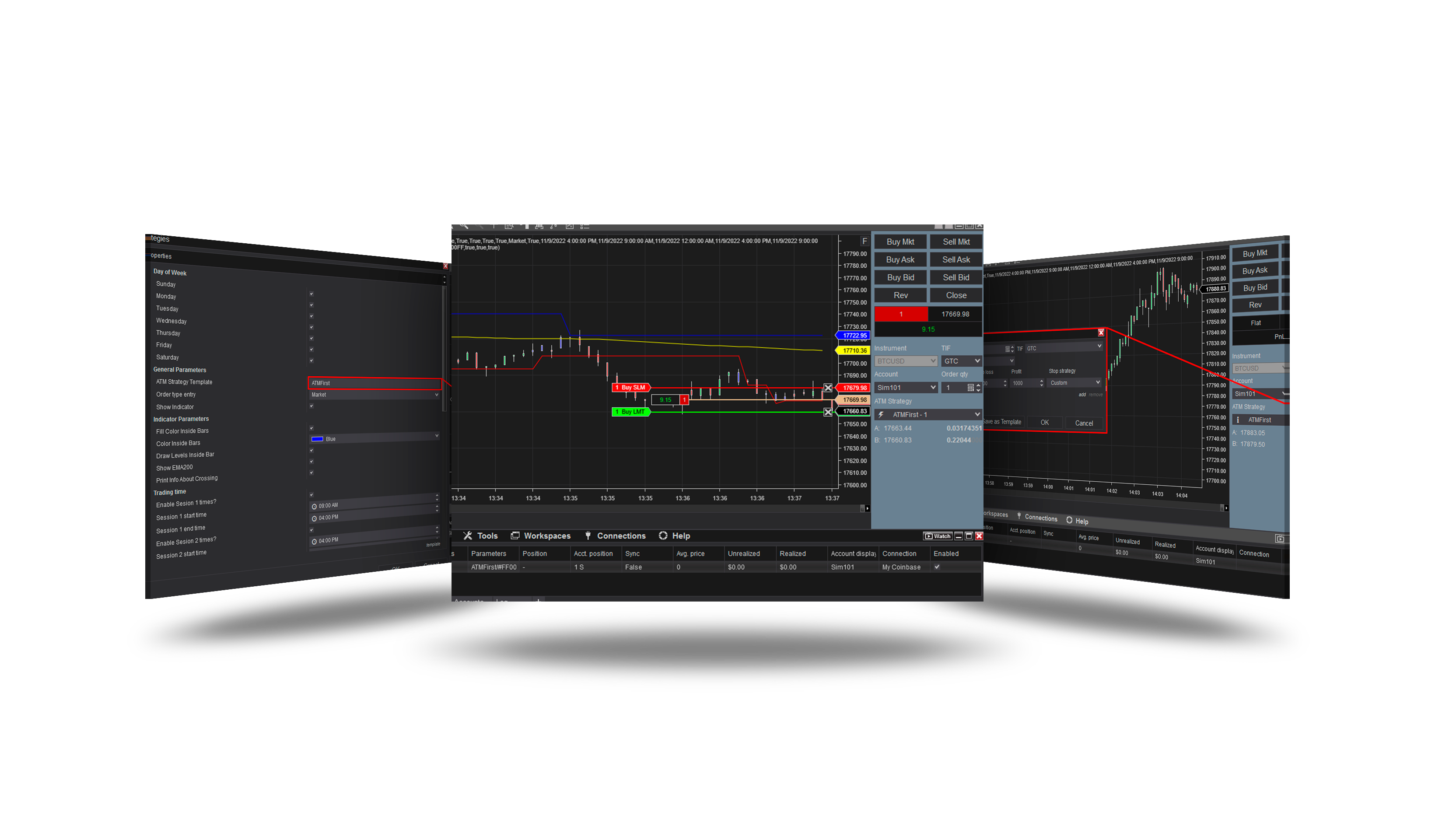
Overview
The inside bar pattern: a bar inside the range of the bar before it (the mother bar). The strategy opens an ATM trade when the inside bar's levels are crossed, on the side the trend (EMA 200) allows.
How it trades
- An inside bar forms; its high and low become the levels for Level valid bars.
- A cross of the level on the trend side opens the ATM template's trade; the limit chases at most Max chase ticks.
- Filters: the mother bar's size, one trade per inside bar. Limits of trades per day or per window and of losses are the core's - Subsessions → Max trades and Money management (see Sessions & time and Money & News).
Parameters
General properties
| Parameter | Default | What it does |
|---|---|---|
| Show indicator | Off | Draw the strategy's own copy of the Inside Bar indicator on the chart and show its display settings (Indicator Parameters). The strategy reads the indicator either way, so this changes nothing about the signals. |
Entry
| Parameter | Default | What it does |
|---|---|---|
| Max chase (ticks) | 4 | Drop a signal when price is already this far past the inside bar level, and cancel a working entry once it gets there. 0 = off. |
Filters
| Parameter | Default | What it does |
|---|---|---|
| Level valid (bars) | 5 | How many bars after the inside bar its level can still be traded; a working entry is cancelled once the level is older. 0 = never expires. |
| Min mother bar (ticks) | 0 | A pattern whose mother bar is smaller than this is not counted as an inside bar at all: it produces no signal, and the ML filter is never trained on it. 0 = off. |
| Max mother bar (ticks) | 0 | A pattern whose mother bar is bigger than this is not counted as an inside bar at all: it produces no signal, and the ML filter is never trained on it. 0 = off. |
| One trade per inside bar | On | Take a level only once, instead of again on every new break of it. |
Indicator Parameters
| Parameter | Default | What it does |
|---|---|---|
| Fill color inside bars | On | Paint the two bars of every inside bar pattern in the colour below. Display only, and only on the strategy's own copy of the indicator. |
| Color inside bars | blue | The colour the two bars of an inside bar are painted in while Fill color inside bars is on. |
| Draw levels inside bar | On | Draw the two level lines of the inside bar on the chart. Display only: the levels are always calculated and the strategy trades them either way. |
| Show EMA 200 | On | Draw the 200-period average that picks the side of every signal - above it only Long patterns are taken, below it only Short. Display only; the average is always calculated. |
Core settings
Order handling, position size, stops and targets, trade management, trading hours, account limits and the ML Engine are core settings - the same in every strategy. Hover a group or a core term for a short explanation.
Core defaults
This strategy starts with these core settings; change any of them in its settings.
| Group | Setting | Default |
|---|---|---|
| NinjaTrader | Calculate | On each tick |
| Entry | Order type | Market |
| Entry | Price from | Strategy |
| Entry | Offset (ticks) | 1 |
| Entry | Lifetime unit | Seconds |
| Entry | Lifetime (s) | 30 |
| General properties | ML.NET | Off |
| Days of Week (off) | Sunday | On |
| Days of Week (off) | Saturday | On |
| Subsessions (off) | S1 Start | 09:00 |
| Subsessions (off) | S1 End | 16:00 |
| Subsessions (off) | S2 Start | 16:00 |
| Subsessions (off) | S2 End | 00:00 |
| Subsessions (off) | S3 Start | 00:00 |
| Subsessions (off) | S3 End | 09:00 |
Version history
v.3.3.0.0 - October 2026
- Changed: the signal follows NinjaTrader's Calculate setting - On each tick by default, so it is taken inside the bar, the moment it appears. Limits of trades and losses are set in the core: Subsessions (Max trades) and Money management.
Earlier versions
v.3.2.0.0 - October 2026
- Rebuilt on the ATM Core: sessions, days, account limits, the ML Engine and the log are core settings.
v.2.1.0.0 - May 25, 2026
- Direction forecast: added COT (Commitment of Traders) features.
v.2.0.0.0 - Mar 9, 2026
- ML Engine filter feature added.
v.1.1.0.1 - Oct 26, 2025
- Trading hours and days logic updated — if all sessions are disabled, the strategy now runs without time restrictions instead of stopping trading.
v.1.1.0.0 - Aug 08, 2024
- The ATM template selection option is accomplished by using the drop-down list instead of manually writing the name.
v.1.0.0.1 - Apr 03, 2024
- Fixed an error when saving a custom settings template.