Absorption Strategy
Version: v.2.1.0.0
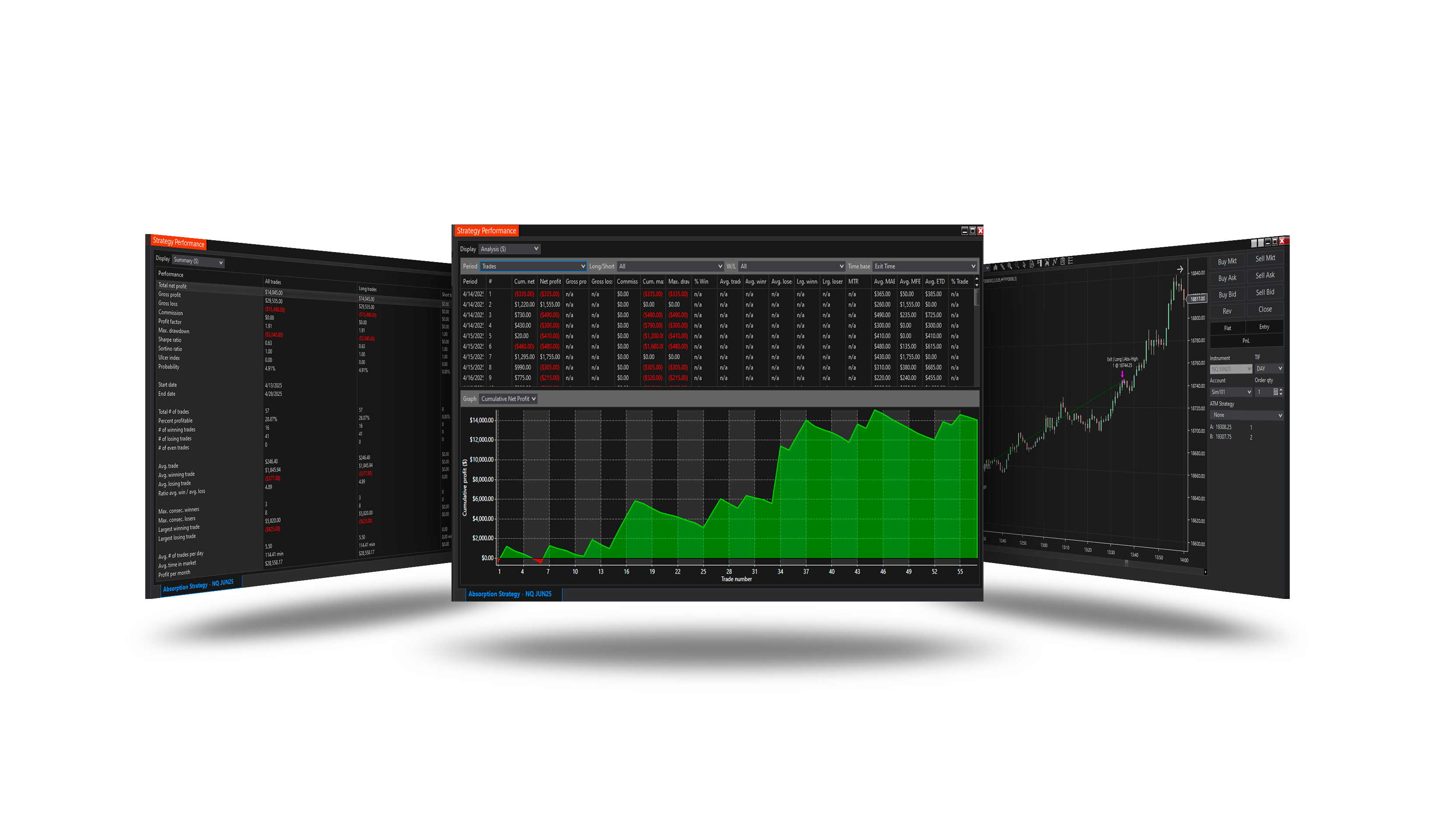
Description
Strategy is designed to detect hidden buying or selling pressure using the Absorption Indicator. It identifies areas where aggressive market orders are absorbed without significant price movement — a strong signal of potential reversals or continuations.
Important
For historical absorption signals to appear, please enable the Tick Replay option on your chart. The indicator relies on the OnMarketData method, which requires Tick Replay to reconstruct historical market data accurately.
Properties
General Parameters
-
Trend approach [default: Both] — Selects the trend approach logic (OnlyLong, OnlyShort, Both).
-
Max qty per/trade [default: 70, range: 1–∞] — Maximum quantity allowed per trade.
-
Risk per/trade ($) [default: 250, range: 1–∞] — Amount of risk per single trade in dollars.
-
Profit target ratio [default: 10, range: 0.01–∞] — Multiplier for calculating the profit target based on absorption range.
-
Stop loss ratio [default: 3, range: 0.01–∞] — Multiplier for calculating the stop loss based on absorption range.
-
Use trail stop [default: false] — Enables or disables trailing stop.
-
Trail period (bars) [default: 14, range: 1–∞] — Number of bars used to calculate the trailing stop.
-
Trail offset (ticks) [default: 1, range: 0–∞] — Offset in ticks for the trailing stop from the calculated value.
-
Use ML.NET filter? [default: true] — Enable ML.NET direction filter and related parameter groups.
Absorption Parameters
-
Lookback period [default: 3, range: 1–∞] — Number of bars to look back for absorption analysis.
-
Price threshold (%) [default: 0.05, range: 0.01–∞] — Minimum price range in percentage for absorption.
-
Volume ratio [default: 3, range: 0.01–∞] — Minimum volume ratio required for absorption detection.
-
Buy side color [default: Green] — Color used to highlight buy-side absorption.
-
Sell side color [default: Red] — Color used to highlight sell-side absorption.
-
Absorption opacity [default: 25, range: 1–∞] — Opacity of absorption rectangles (0–100).
Ensemble Models
-
Use LightGbm [default: true] — Enable LightGbm classifier.
-
Use FastTree [default: true] — Enable FastTree classifier.
-
Use FastForest [default: true] — Enable FastForest classifier.
-
Use SDCA LogReg [default: true] — Enable SDCA logistic regression.
-
Use LBFGS LogReg [default: true] — Enable LBFGS logistic regression.
-
Use Averaged Perceptron [default: true] — Enable Averaged Perceptron classifier.
-
Use SGD Calibrated [default: true] — Enable SGD calibrated classifier.
Feature Params
-
(Slope) Start Bars Ago [default: 14, range: 1–∞] — Start bar (ago) for VWAP slope.
-
(Slope) End Bars Ago [default: 0, range: 0–∞] — End bar (ago) for VWAP slope.
-
(Delta) Type [default: UpDownTick] — Cumulative delta calculation type.
-
(Delta) Period [default: Session] — Cumulative delta period.
-
(Delta) Size Filter [default: 0, range: 0–∞] — Delta size filter (0 = off).
-
(VWAP) Resolution [default: Tick] — Data the ML feature VWAP runs on: Standard or Tick.
-
(VWAP) Standard deviations [default: Two] — VWAP standard deviation bands for ML features.
-
(VWAP) SD1 Multiplier [default: 0.75, range: 0.001–∞] — VWAP sd1 multiplier.
-
(VWAP) SD2 Multiplier [default: 1.5, range: 0.001–∞] — VWAP sd2 multiplier.
-
(VWAP) SD3 Multiplier [default: 3, range: 0.001–∞] — VWAP sd3 multiplier.
-
(ATR) Period [default: 14, range: 1–∞] — ATR period for features.
-
(MACD) Fast [default: 12, range: 1–∞] — MACD fast period.
-
(MACD) Slow [default: 26, range: 1–∞] — MACD slow period.
-
(MACD) Smooth [default: 9, range: 1–∞] — MACD signal smoothing period.
-
(Gap) Session Start Time [default: 08:30] — Local time of the first bar of the session used for gap calculation.
-
Signal Offset Bars [default: 0, range: 0–∞] — Bars ago to read input signal.
ML Engine
-
Enable Logging [default: false] — When enabled:
Print()to Output window and writeMLEngine.log. When disabled: no Print, no file — saves memory and disk. -
Show Metrics Table [default: true] — Show ensemble metrics table on chart.
-
Show Probability [default: true] — Show probability label on chart.
-
Use Metrics Filter [default: false] — Block signals if metrics below thresholds.
-
Use Auto Weights [default: true] — Auto weight direction models by AUC and F1.
-
Min Probability [default: 0.5, range: 0–1] — Minimum ensemble probability to pass signal.
-
Bars Ahead [default: 60, range: 1–∞] — Bars ahead used for labeling training samples.
-
Records Before Retrain [default: 10, range: 1–∞] — Minimum samples before retraining.
ML Metrics Filter
-
Min AUC [default: 0.0, range: 0–1] — Minimum AUC required to pass metrics filter.
-
Min F1 [default: 0.0, range: 0–1] — Minimum F1 score required to pass metrics filter.
-
Min Accuracy [default: 0.0, range: 0–1] — Minimum accuracy required to pass metrics filter.
-
Min Precision [default: 0.0, range: 0–1] — Minimum precision required to pass metrics filter.
-
Min Recall [default: 0.0, range: 0–1] — Minimum recall required to pass metrics filter.
Probability Style
-
Probability font [default: Consolas 11] — Font family for probability labels (e.g. Arial, Consolas).
-
Probability color [default: DodgerBlue] — Text color for probability labels on chart.
-
Probability offset (ticks) [default: 0, range: -∞–∞] — Vertical offset in ticks: positive = above bar, negative = below.
Table Style
-
Table position [default: TopLeft] — Corner of chart where metrics table is drawn.
-
Table font [default: Consolas 11] — Font family for metrics table (e.g. Consolas, Arial).
-
Table text color [default: Silver] — Text color for metrics table.
-
Table background [default: Black] — Background fill for metrics table.
-
Table outline [default: Transparent] — Border/outline color for metrics table.
-
Table opacity [default: 75, range: 0–100] — Table opacity (0–100).
Money management
-
Enable daily profit [default: false] — Includes a function to control the daily profit.
-
Enable daily loss [default: false] — Includes a function to control the daily loss.
-
Daily loss limit ($) [default: 1000, range: 1–∞] — Set a daily loss limit in currency.
-
Daily profit target ($) [default: 2500, range: 1–∞] — Set a daily profit target in currency.
Trading time
-
Enable session 1 times? (optional) [default: false] — Enable first trading session.
-
Session 1 start time [default: 00:00] — Session first start time. Allowed when session 1 is enabled.
-
Session 1 end time [default: 23:59] — Session first end time. Allowed when session 1 is enabled.
-
Enable session 2 times? (optional) [default: false] — Enable second trading session.
-
Session 2 start time [default: 14:00] — Session second start time. Allowed when session 2 is enabled.
-
Session 2 end time [default: 16:30] — Session second end time. Allowed when session 2 is enabled.
-
Enable session 3 times? (optional) [default: false] — Enable third trading session.
-
Session 3 start time [default: 18:00] — Session third start time. Allowed when session 3 is enabled.
-
Session 3 end time [default: 20:30] — Session third end time. Allowed when session 3 is enabled.
-
Enable exit on session close [default: false] — Enable exit at the session close.
-
Session close time [default: 16:50] — Session close time.
-
Exit on session close minutes [default: 5, range: 1–∞] — Minutes before session close to exit.
Day of Week
- Sunday [default: false] — Enable trading on Sunday.
- Monday [default: true] — Enable trading on Monday.
- Tuesday [default: true] — Enable trading on Tuesday.
- Wednesday [default: true] — Enable trading on Wednesday.
- Thursday [default: true] — Enable trading on Thursday.
- Friday [default: true] — Enable trading on Friday.
- Saturday [default: false] — Enable trading on Saturday.
Note:
If all days are disabled, the strategy will trade without any restrictions on days.
If all trading session clocks are turned off, the auto strategy will trade without time restrictions.
Version Change History
v.1.0.0.1 (Oct 26, 2025)
1) Trading hours and days logic updated — if all sessions are disabled, the strategy now runs without time restrictions instead of stopping trading.
v.2.0.0.0 (Mar 9, 2026)
1) ML Engine filter feature added.
v.2.1.0.0 (May 25, 2026)
1) Direction forecast: added COT (Commitment of Traders) features.