Harami Price Action
v.3.1.0.0 Built on Strategy Core
Overview
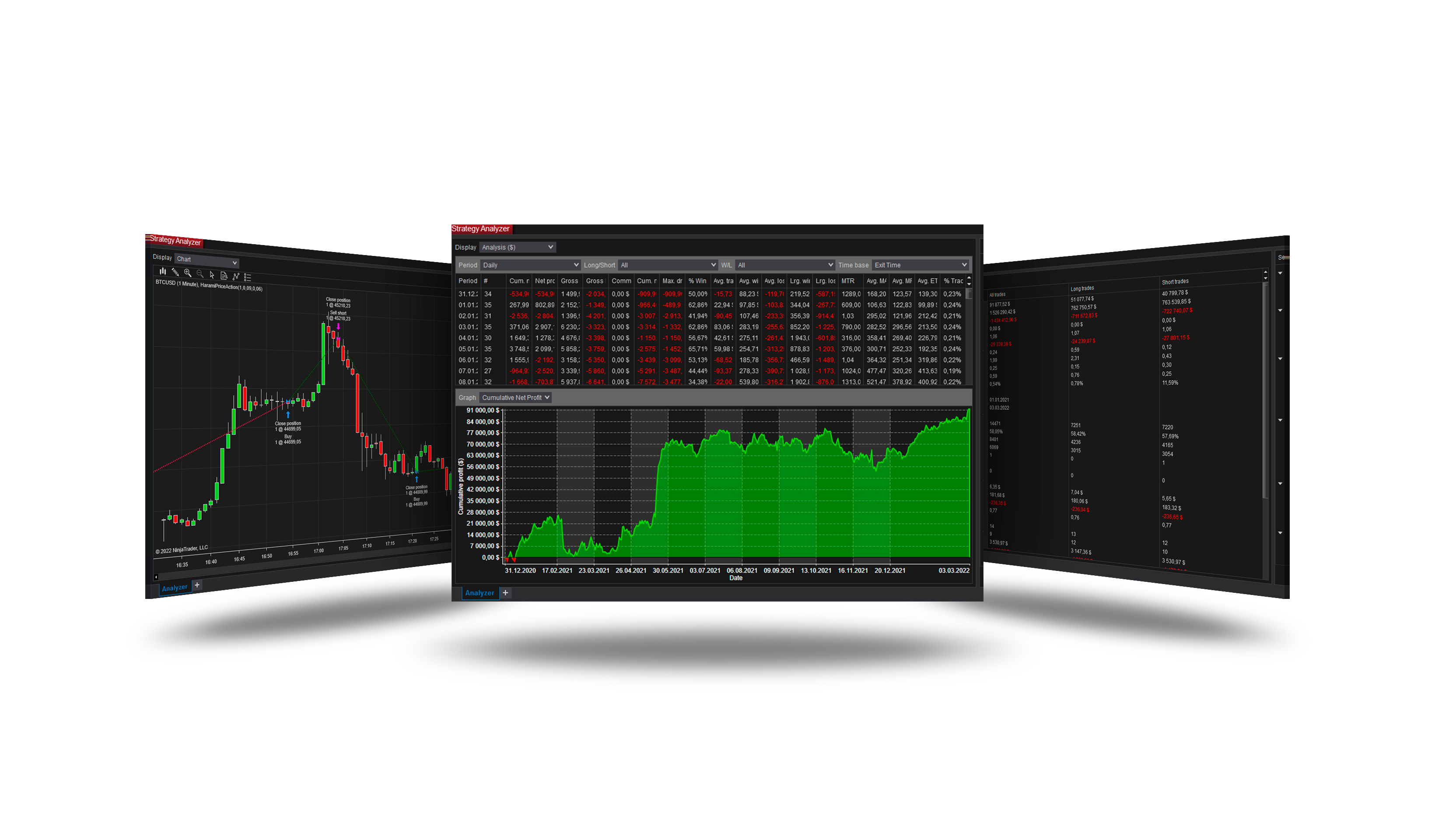
Trades the Harami: after a run, a bar stays inside the one before it (the mother bar) - a pause from which the run resumes.
How it trades
- A run of Run before the mother bars, then an inside bar within the mother bar (colour by Inside bar color, size up to Max inside size %).
- Optional filters: the mother bar's size, the trend (EMA).
- With Confirmation = Break the entry waits for a break of the mother bar within Confirm within bars; the stop can sit beyond the mother bar.
Parameters
| Parameter | Default | What it does |
|---|---|---|
| Signal bar offset (bars) | 0 | Which bar is judged as the inside bar: 0 = the last closed bar; 1 = the one before it, so the entry comes a bar after the pattern. |
| Run before the mother (bars) | 1 | How many bars of rising highs (a long) or falling lows (a short) must lead into the mother bar. 0 = no run asked for - the inside bar's colour alone gives the side, so with 0 Inside bar color must be Strict: with Any nothing gives a side and no pattern is traded. |
| Inside bar color | Strict | Strict: the inside bar of a long is bearish and of a short bullish - the pause against the run -. Any: its colour does not matter. |
| Max inside size (% of mother) | 75 | The largest range the inside bar may have, as a share of the mother bar's. 100 = any bar inside the mother. |
| Mother size filter | Off | Judge the mother bar's high-low range: in ticks, or in ATRs of the bars before it. Off: any size. |
| Min mother size | 0 | The smallest range the mother bar may have, in the unit of Mother size filter. 0 = no minimum. |
| Max mother size | 0 | The largest range the mother bar may have, in the unit of Mother size filter. 0 = no maximum. |
| Size ATR period (bars) | 14 | The ATR the mother bar is measured in, taken on the bar before it. |
| Trend filter | Reversal | The inside bar's close against an EMA. With trend: longs above it, shorts below. Reversal: longs below it, shorts above. Off: no filter. |
| Trend EMA period | 50 | The period of the EMA the trend filter reads. |
| Confirmation | Break | None: the entry is asked for as soon as the pattern is found. Break: only once a later bar closes beyond the mother bar - above its high for a long, below its low for a short. |
| Confirm within (bars) | 3 | How many closed bars after the inside bar the break may take. A pattern not broken by then is dropped. |
| Strategy price | Mother break | The level of the pattern the entry is placed from when the Orders group's Entry price is Strategy. Mother break: the mother bar's high for a long, its low for a short - with a stop entry, the classic inside-bar breakout. Inside break: the inside bar's high or low. Mother mid: the middle of the mother bar - with a limit, a pullback into it. |
| Stop beyond mother (ticks) | 2 | With the Stop loss group's Mode = Strategy: the stop goes this many ticks beyond the mother bar - below its low for a long, above its high for a short. |
Core settings
Order handling, position size, stops and targets, trade management, trading hours, account limits and the ML Engine are core settings - the same in every strategy. Hover a group or a core term for a short explanation.
Strategy Core General & Orders Quantity & Scaling Stop loss & Profit target Trade management Sessions & time Money & News ML Engine Log & Report
Core defaults
This strategy starts with these core settings; change any of them in its settings.
| Group | Setting | Default |
|---|---|---|
| NinjaTrader | Calculate | On bar close |
| Quantity | Quantity | 1 |
| Stop loss | Mode | Ticks |
| Stop loss | Ticks | 60 |
| Profit target | Mode | Ticks |
| Profit target | Ticks | 40 |
| Money management (off) | Daily loss | 1000 |
| Money management (off) | Daily profit | 1000 |
| General properties | Subsessions | On |
| Subsessions | S1 Enable | On |
| Subsessions | S1 Start | 09:30 |
| Subsessions | S1 End | 15:30 |
| Subsessions | S2 Enable | Off |
| Subsessions | S2 Start | 12:00 |
| Subsessions | S2 End | 16:00 |
| Subsessions | S3 Enable | Off |
| Subsessions | S3 Start | 16:00 |
| Subsessions | S3 End | 23:59 |
| NinjaTrader | Exit on session close | On |
| NinjaTrader | Exit on session close (s) | 3780 |
Version history
v.3.1.0.0 - October 2026
- Changed: the signal follows NinjaTrader's Calculate setting - On bar close by default; On each tick reads the forming bar.
Earlier versions
v.3.0.0.0 - October 2026
- Rebuilt on the Strategy Core: orders, sizing, stops and targets, trade management, sessions, limits and the ML Engine are core settings.
- Added: Confirmation, mother size and trend filters, a stop beyond the mother bar.
v.2.1.0.0 - May 25, 2026
- Direction forecast: added COT (Commitment of Traders) features.
- Added contract quantity forecast module.
v.2.0.0.0 - Mar 9, 2026
- ML Engine filter feature added.
v.1.1.0.1 - Oct 26, 2025
- Trading hours and days logic updated — if all sessions are disabled, the strategy now runs without time restrictions instead of stopping trading.
v.1.1.0.0 - May 22, 2025
- Added ROI function for trade exit.
- Added session end position closing function.
- Added descriptive names to exit orders for better understanding of position closure conditions.
- Add bar offset for entry signal.
- Sort properties.
v.1.0.0.8 - July 29, 2024
- Improved functions to raise position after connection loss.
v.1.0.0.7 - Mar 14, 2024
- Improved conditions for closing a position when the daily loss or profit is reached.
- Changed parameter determining the priority of strategy position or account position.
- Fixed the problem of strategy transition to the next state while placing an entry order.
v.1.0.0.6 - Dec 24, 2023
- Improved conditions for partial fulfillment of orders.
- Improved the function of raising the position after connection loss.
v.1.0.0.5 - Dec 1, 2023
- Improved conditions for partial fulfillment of orders.
- Improved the function of raising the position after connection loss.
- Added functions for order execution log.
v.1.0.0.4 - Nov 12, 2023
- Improved trading session time.
- Improved the function of raising the position after connection loss.
v.1.0.0.3 - Sep 30, 2023
- Improved the function of raising the position after connection loss.
v.1.0.0.2 - Sep 5, 2023
- Added additional setting for specifying the trading session.
- Added function of raising the position after connection loss.
- Daily profit and drawdown functions can be used in backtest.