MTF Delta
v.3.1.0.0 Built on Strategy Core
Overview
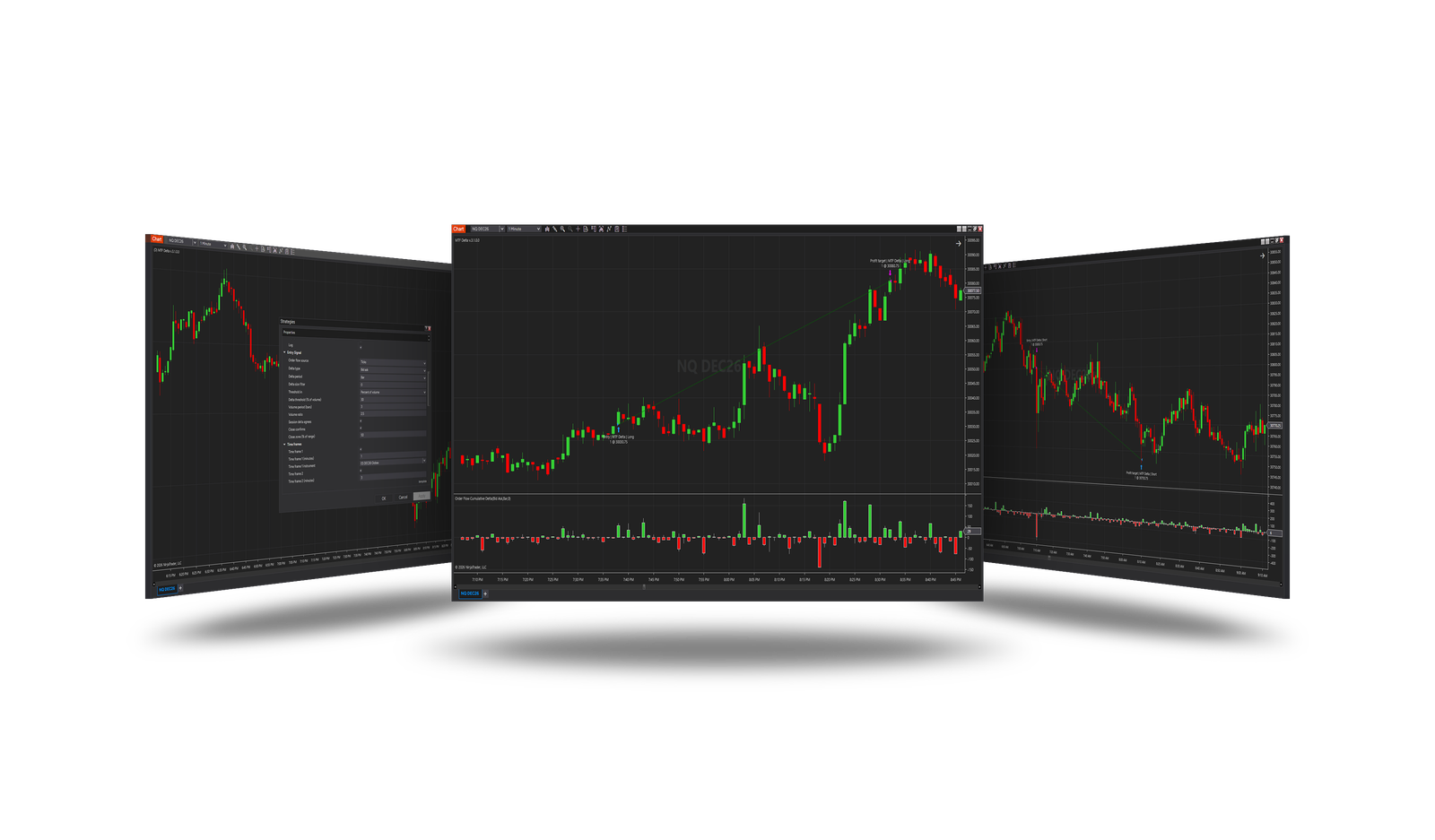
Enters when the delta - buying or selling outweighing the other side - points the same way on the chart and on up to three more time frames, on a volume spike.
How it trades
- The chart's delta (bar or session) beyond a threshold - in contracts or a share of the volume - on a volume spike.
- Optional: the session's delta of the same sign, the bar closing the delta's way.
- Up to three more time frames, each with its minutes and instrument: their last closed bar's delta of the same sign.
Parameters
Entry Signal
| Parameter | Default | What it does |
|---|---|---|
| Order flow source | Bars | Where the deltas come from. Bars: worked out from each series' bars (the close's place in the range) - fast backtests. Ticks: NinjaTrader's cumulative delta on the 1-tick series - exact, much slower backtests, another tick series for every other instrument. |
| Delta type | Bid ask | With Order flow source = Ticks: BidAsk counts trades at the ask as buying and at the bid as selling; UpDownTick counts upticks as buying and downticks as selling. |
| Delta period | Bar | The chart's delta. Bar: the signal bar's own delta - the push right now. Session: the delta added up since the session began. |
| Delta size filter | 0 | With Order flow source = Ticks: only trades of at least this size count. 0 = all. |
| Threshold in | Percent of volume | Contracts: the chart's delta must exceed a number of contracts. Percent of volume: it must be at least a share of the volume it came from - the same meaning at night, at the open and on any instrument. |
| Delta threshold (contracts) | 0 | A long needs the chart's delta above this, a short below minus this. 0 = only its sign. |
| Delta threshold (% of volume) | 30 | A long needs the chart's delta to be at least this share of the volume, a short at most minus this share. |
| Volume period (bars) | 3 | The bars the average volume is taken over, the signal bar included. |
| Volume ratio | 2.5 | A volume spike: the bar's volume at least the average times this. 0 = no volume filter. |
| Session delta agrees | On | The session's delta must have the signal's sign: a push with the day's order flow, not against it. |
| Close confirms | On | The bar must close the delta's way: bullish with the close in the upper part of its range for a long, bearish in the lower part for a short. |
| Close zone (% of range) | 50 | How far from the bar's end the close may be: 50 = the upper half for a long, the lower half for a short. |
Time frames
| Parameter | Default | What it does |
|---|---|---|
| Time frame 1 | On | Also require the last closed bar's delta on this time frame to point the signal's way. |
| Time frame 1 (minutes) | 1 | Its bar size in minutes. |
| Time frame 1 instrument | — | Its instrument. Empty: the chart's. |
| Time frame 2 | On | Also require the last closed bar's delta on this time frame to point the signal's way. |
| Time frame 2 (minutes) | 3 | Its bar size in minutes. |
| Time frame 2 instrument | — | Its instrument. Empty: the chart's. |
| Time frame 3 | On | Also require the last closed bar's delta on this time frame to point the signal's way. |
| Time frame 3 (minutes) | 5 | Its bar size in minutes. |
| Time frame 3 instrument | — | Its instrument. Empty: the chart's. |
Core settings
Order handling, position size, stops and targets, trade management, trading hours, account limits and the ML Engine are core settings - the same in every strategy. Hover a group or a core term for a short explanation.
Strategy Core General & Orders Quantity & Scaling Stop loss & Profit target Trade management Sessions & time Money & News ML Engine Log & Report
Core defaults
This strategy starts with these core settings; change any of them in its settings.
| Group | Setting | Default |
|---|---|---|
| NinjaTrader | Calculate | On each tick |
| Quantity | Quantity | 1 |
| Stop loss | Mode | Ticks |
| Stop loss | Ticks | 200 |
| Profit target | Mode | Ticks |
| Profit target | Ticks | 200 |
| NinjaTrader | Exit on session close | On |
| NinjaTrader | Exit on session close (s) | 30 |
| Money management (off) | Daily loss | 1000 |
| Money management (off) | Daily profit | 1000 |
Requirements
- Order flow source = Bars (default): the delta from each series' bars. Ticks: NinjaTrader's order-flow delta on tick data - exact, slower.
Version history
v.3.1.0.0 - October 2026
- Changed: the signal follows NinjaTrader's Calculate setting - On each tick by default, so it is taken inside the bar, the moment it appears.
Earlier versions
v.3.0.0.0 - October 2026
- New: one strategy for Buy Or Sell and Multi Time Frame Delta, on the Strategy Core.
- Fixed: a real delta - from the bars (fast) or ticks (exact).
v.2.1.0.0 - May 25, 2026
- Direction forecast: added COT (Commitment of Traders) features.
- Added contract quantity forecast module.
v.2.0.0.0 - Mar 9, 2026
- ML Engine filter feature added.
v.1.1.0.1 - Oct 26, 2025
- Trading hours and days logic updated — if all sessions are disabled, the strategy now runs without time restrictions instead of stopping trading.
v.1.1.0.0 - May 22, 2025
- Added ROI function for trade exit.
- Added session end position closing function.
- Added descriptive names to exit orders for better understanding of position closure conditions.
- Add bar offset for entry signal.
- Sort properties.
v.1.0.0.8 - July 29, 2024
- Improved functions to raise position after connection loss.
v.1.0.0.7 - Mar 14, 2024
- Improved conditions for closing a position when the daily loss or profit is reached.
- Changed parameter determining the priority of strategy position or account position.
- Fixed the problem of strategy transition to the next state while placing an entry order.
v.1.0.0.6 - Dec 24, 2023
- Improved conditions for partial fulfillment of orders.
- Improved the function of raising the position after connection loss.
v.1.0.0.5 - Dec 1, 2023
- Improved conditions for partial fulfillment of orders.
- Improved the function of raising the position after connection loss.
- Added functions for order execution log.
v.1.0.0.4 - Nov 12, 2023
- Improved trading session time.
- Improved the function of raising the position after connection loss.
v.1.0.0.3 - Sep 30, 2023
- Improved the function of raising the position after connection loss.
v.1.0.0.2 - Sep 5, 2023
- Added additional setting for specifying the trading session.
- Added function of raising the position after connection loss.
- Daily profit and drawdown functions can be used in backtest.