Opening Range Breakout
v.3.1.0.0 Built on Strategy Core
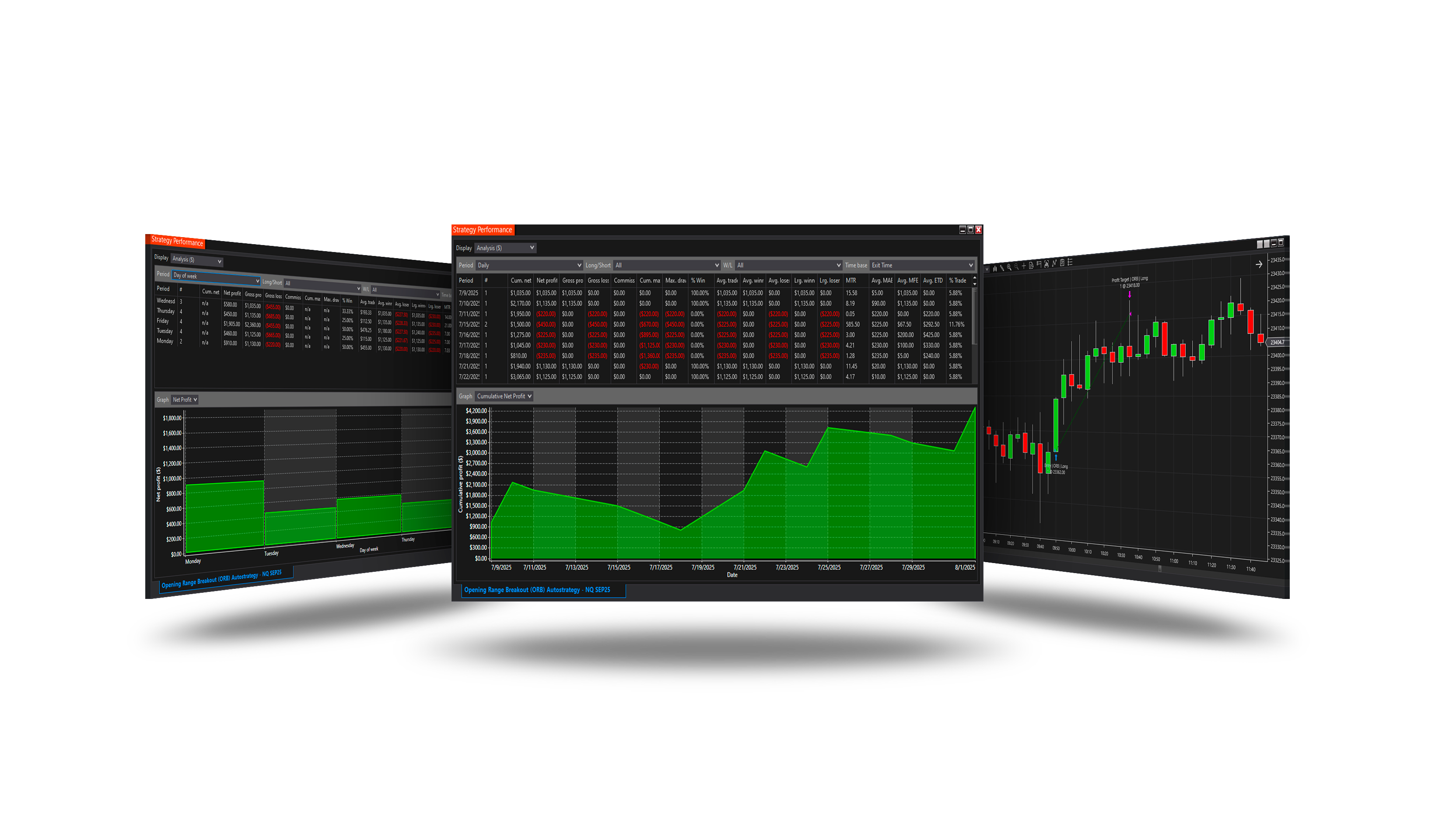
Overview
Trades the opening of the day: the first bar or bars after the open set the direction, and the day's move is expected to follow it. Stop and target are set from the daily ATR.
How it trades
- The opening range: Opening range bars from Opening bar time.
- Entry = Bar direction: a bullish opening is a long, bearish a short (no trade on a doji). Breakout: the entry waits for a break of the range within Breakout within bars.
- Stop and target: Stop / Target % of the daily ATR from the entry (Mode = Strategy). One trade a day.
Parameters
Entry Signal
| Parameter | Default | What it does |
|---|---|---|
| Opening bar time | 09:35 | The time stamp of the bar that closes the opening range - the end of the bar. 09:35: on 5-minute bars, the bar 09:30-09:35. |
| Opening range (bars) | 1 | How many bars, ending with the opening bar, make the opening range: its open is the first one's open, its close the opening bar's close, its high and low the extremes of them all. 1 = the opening bar alone. |
| Entry | Bar direction | Bar direction: enter at once in the direction of the opening range - bullish a long, bearish a short -. Range breakout: wait for a close above the range's high (a long) or below its low (a short). |
| Breakout within (bars) | 30 | With Entry = Range breakout: how many closed bars after the opening bar the break may come on. A range not broken by then is dropped for the day. |
| Max doji body (%) | 20 | With Entry = Bar direction: an opening range whose body is under this share of its high-low range is a doji and gives no trade. 10; 0 = never skip. |
ORB levels
| Parameter | Default | What it does |
|---|---|---|
| Stop (% of daily ATR) | 5 | With the Stop loss group's Mode = Strategy: the stop goes this share of the daily ATR away from the entry. |
| Target (% of daily ATR) | 100 | With the Profit target group's Mode = Strategy: the target goes this share of the daily ATR away from the entry. |
| Daily ATR period (days) | 14 | The ATR of the daily bars the levels are measured in, taken on the last closed day. |
Core settings
Order handling, position size, stops and targets, trade management, trading hours, account limits and the ML Engine are core settings - the same in every strategy. Hover a group or a core term for a short explanation.
Strategy Core General & Orders Quantity & Scaling Stop loss & Profit target Trade management Sessions & time Money & News ML Engine Log & Report
Core defaults
This strategy starts with these core settings; change any of them in its settings.
| Group | Setting | Default |
|---|---|---|
| NinjaTrader | Calculate | On each tick |
| General properties | Stop loss | On |
| Stop loss | Mode | Strategy |
| General properties | Profit target | On |
| Profit target | Mode | Strategy |
| Quantity | Mode | Risk percent |
| Quantity | Risk | 1 |
| Quantity | Min | 1 |
| Quantity | Max | 70 |
| General properties | Days of Week | On |
| NinjaTrader | Exit on session close | On |
| NinjaTrader | Exit on session close (s) | 900 |
Version history
v.3.1.0.0 - October 2026
- Changed: the signal follows NinjaTrader's Calculate setting - On each tick by default, so it is taken inside the bar, the moment it appears.
Earlier versions
v.3.0.0.0 - October 2026
- Rebuilt on the Strategy Core: orders, sizing, stops and targets, trade management, sessions, limits and the ML Engine are core settings.
- Added: Opening range of several bars, breakout entry, daily-ATR stop and target.
v.2.1.0.0 - May 25, 2026
- Direction forecast: added COT (Commitment of Traders) features.
v.2.0.0.0 - Mar 9, 2026
- ML Engine filter feature added.
v.1.1.0.0 - Sep 1, 2025
- Added current Daily ATR as an additional dimension for training and forecasting ML.NET models.